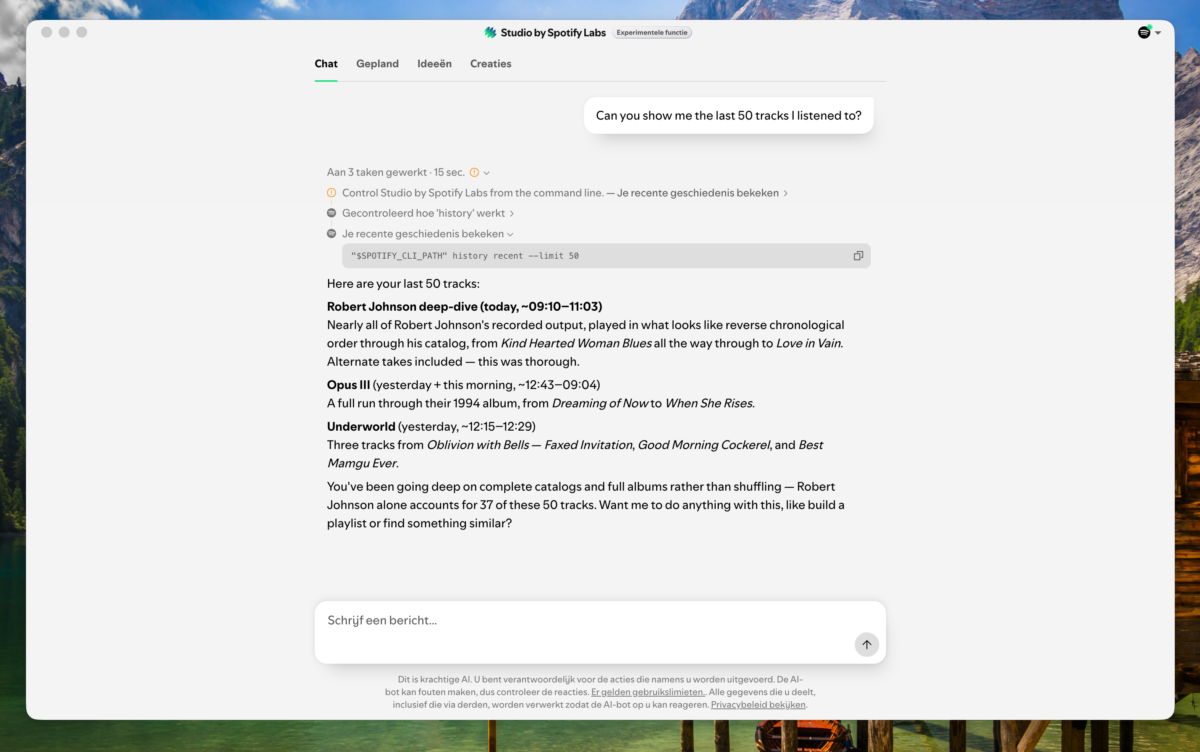
This week, Spotify prompted me to install Spotify Studio, a new AI-powered tool from Spotify. As I’ve been experimenting with the Spotify API over the past few weeks, I couldn’t resist trying it out. I may write more about those experiments in a future post.
Spotify Studio is a useful tool for analysing your Spotify library, playlists, and listening history. It can even generate simple web pages to present the results. I’ll share more about it in another post.
While exploring the tool, I noticed it was running the following command to retrieve my listening history:
"$SPOTIFY_CLI_PATH" history recent --limit 50 --format jsonDid this mean there is a (undocumented) Spotify CLI tool bundled with the Spotify desktop app?
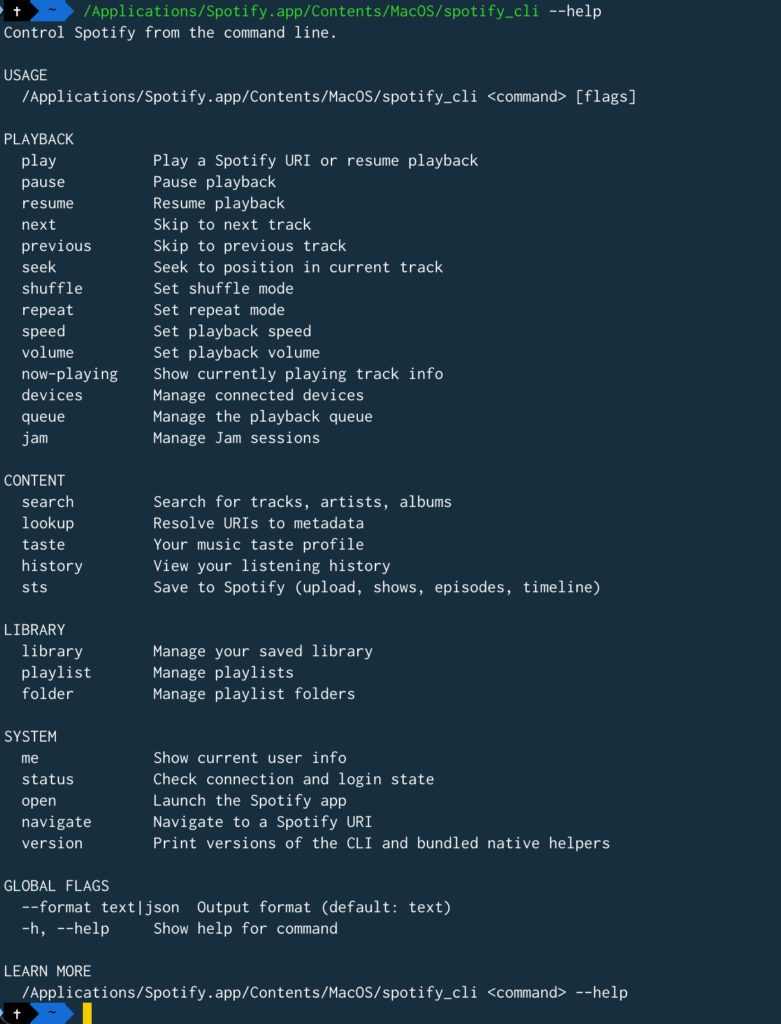
I opened a terminal, and indeed, there is a command-line tool included with the Spotify desktop app. On macOS, it can be found at this location:
/Applications/Spotify.app/Contents/MacOS/spotify_cliI don’t know where it is on other operating systems. You have to find out for yourself 😉. I’m using version 1.2.94.583.g60394bd5.
update: There is a Windows version
It supports a lot of options. Besides controlling the desktop player from the command line, you can search your Spotify library, inspect your listening history, view your current playback status and much more.
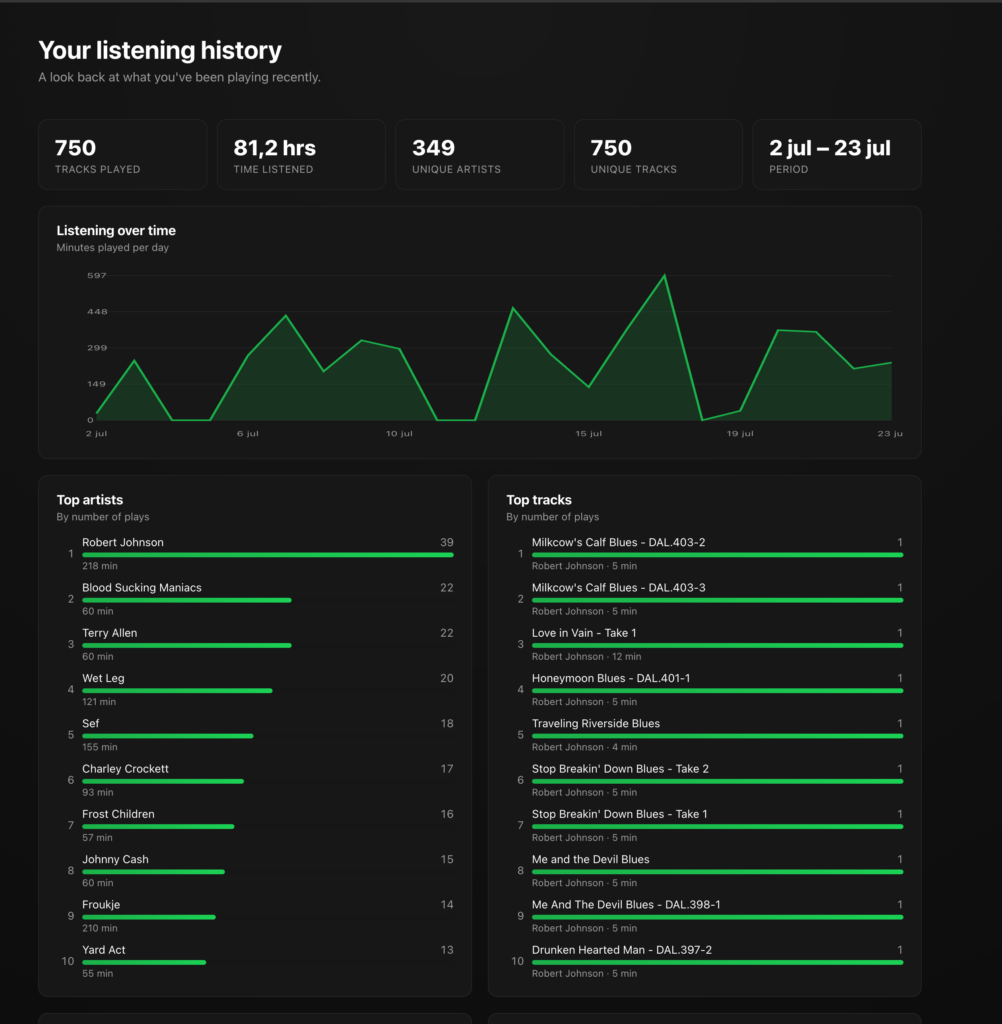
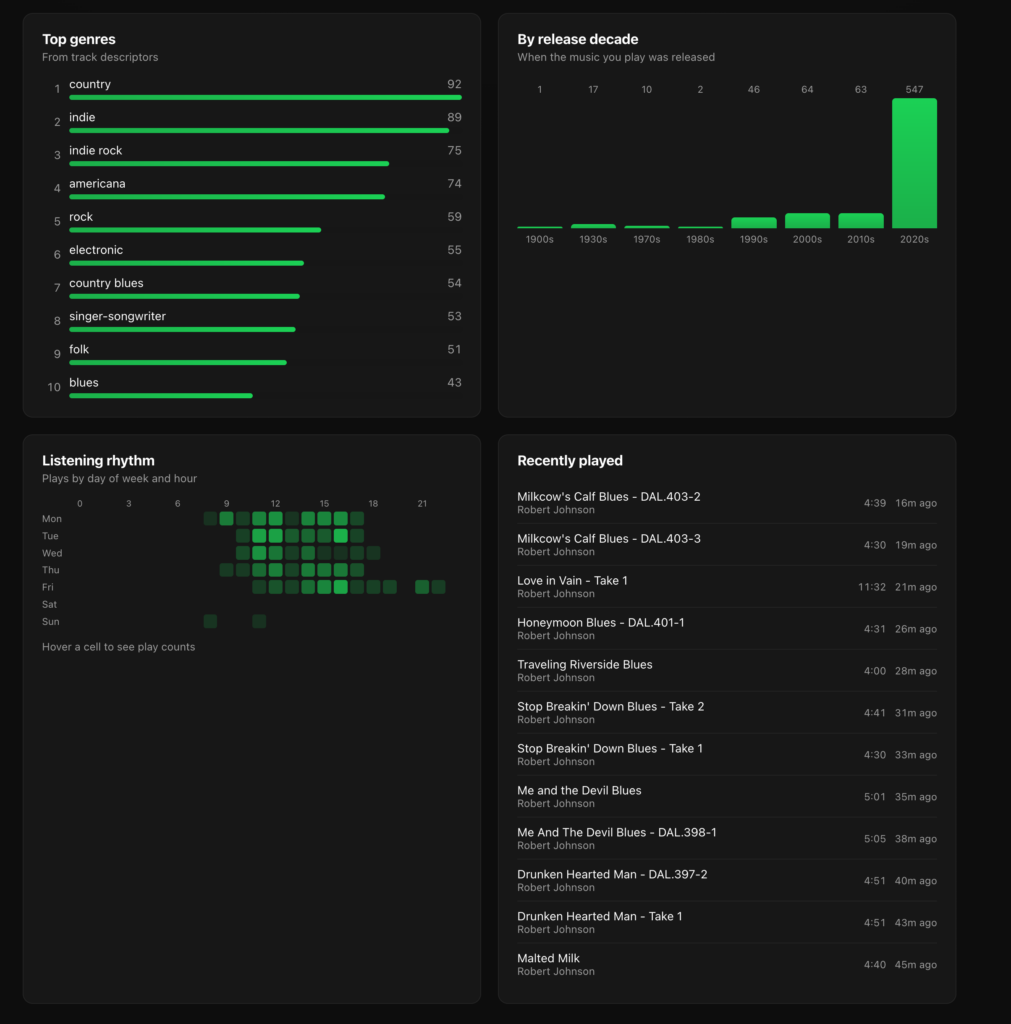
I asked Claude to generate a simple visualisation from the JSON output of my listening history. This was the result.
I find it fascinating that more desktop applications are shipping CLI tools that pair nicely with AI coding assistants. In many cases, it’s a much quicker way to automate or explore an application than setting up an API integration from scratch.