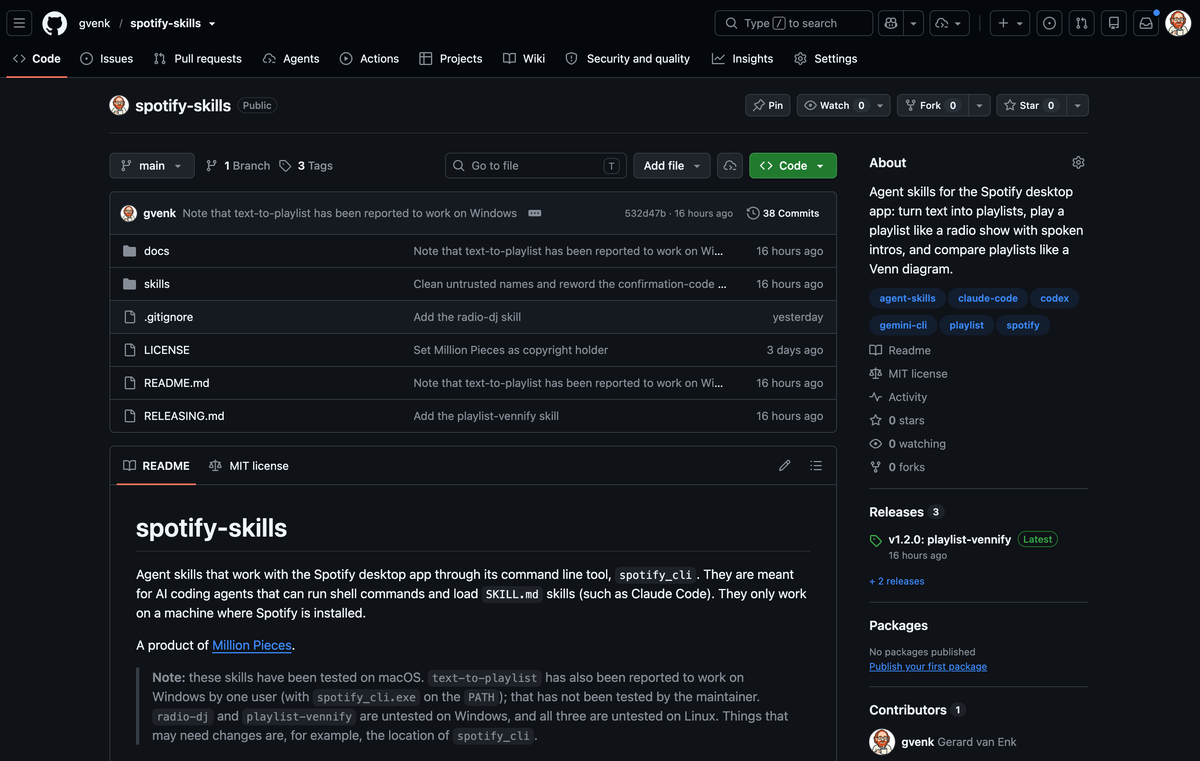
Ever since I discovered that Spotify distributes a command-line tool with its desktop app, I’ve been thinking about all the things that you could create with it. For a few years, I’ve had ideas to build using the Spotify API, but they seemed impossible because of the API’s restrictions; e.g., you cannot access playlists from other accounts, only the ones you own, and you have to have 250k monthly active users before you can let more than 5 users access your application built with the API.
Last weekend, I started working on one of the things I wanted to try: Spotify AI Skills.
Skills
A skill is a folder that contains at least one text file describing what an AI agent can do and when the skill can or should be used. It can also contain pieces of code.
Please always investigate the skills you are installing to make sure nothing bad happens on your computer.
Important Remark
I created these skills for my own use, and I only tested them on macOS. So it might not work with your setup!
All the skills are free to use, and if something doesn’t work, you can file an issue on GitHub, but I cannot promise when I will look into it.
Text to Playlist
The first skill I created was the text-to-playlist skill. With this skill, you can take a URL for a venue or festival agenda, or the text of a newsletter with reviews, and it will search for artists and album or track names and convert them into a new playlist.
There are a lot of different ways you can use this skill, eg:
- “Playlist from this agenda, put it in my Newsletters folder”
- “Make a public playlist with the hidden gems of the artists in this review”
- “Playlist from this album chart, 2 deep cuts per album”
You can also use many different options, e.g., how many tracks per artist, not-so-common songs, putting the playlist in a folder on Spotify, etc.
All the options are listed in the text-to-playlist documentation.
Here is an example of this playlist:
Radio DJ
The second skill I created was the Radio DJ skill. You can use this skill to create your own radio show. The skill will research each artist and song in a playlist and write a short intro for each song. After this, it will use text-to-speech to turn this text into spoken word as an intro for each track.
By default, it will use the native voice on your computer. The quality is not very high. One thing I ran into is that the Dutch voice isn’t very good at reading English artist and track names. For this, I made the skill detect these English words, mark them, and switch to the English voice when reading them. Not very nice to listen to, but it works. And this is just an R&D project for me 😉.
But there is also another built-in option. This will use the OpenAI voice. You need to set an environment variable named OPENAI_API_KEY before starting your AI tool. You have to have some credits (money) in your OpenAI account. The quality is much better, with no more language switches and a more natural-sounding voice.
Here are a few examples created with the Radio DJ skill. First, the native macOS voice.
And this uses the OpenAI voice:
Playlist Vennify
This is something I’ve wanted for quite a while. I listen to a lot of playlists with new music. But sometimes there is quite a bit of overlap between playlists. I really wanted the option to create new playlists with the overlapping tracks, as well as the unique tracks.
I created an online tool for this called Vennify. This is built using the Spotify API. As I said before, this API has a lot of restrictions. And since the playlists I want to compare aren’t mine, I first have to copy them before I can compare them.
But thanks to the Spotify CLI, I can now compare playlists very easily, even ones I don’t own!
If you compare more than two, it can check multiple playlists for overlapping tracks, unique tracks, and tracks that appear in at least N playlists. It can create a playlist of the results, or add them to the queue.
Here is an example comparing two playlists, without providing the exact name.
Development Process
I used Claude Code to create these skills, and it was very easy if you know what to ask.
If you have questions about creating your own skills, or you need a hand building things like this, my email is always open 😎.